
A realistic skin LoRA, from training to Comfy Cloud
FLUX.2 [dev] renders portraits that are too smooth. I trained my own skin texture LoRA, published it on Hugging Face, wired it into a Comfy Cloud workflow and tested it with and without, on the same seed.
- Type
- LoRA + ComfyUI workflow
- Status
- Published
- Updated
- November 27, 2026
- Stack
- FLUX.2 [dev]LoRAHugging FaceComfy Cloud
The problem
FLUX.2 [dev] renders clean, well-lit, well-framed portraits. But the skin is smoothed out and the complexion drifts towards orange: the first thing people notice when they say an image "looks AI". For advertising, beauty or photo retouching work like Imatera, that is not good enough.
The pipeline, end to end
- Training: a skin texture LoRA on FLUX.2 [dev], rank 16, no trigger word. Plug it in and it works.
- Publishing on Hugging Face: the file (333 MB) lives in a public model repository, xfauthoux/skin-portrait-lora, with a card giving the base model, recommended strength and settings. The bucket left by training is only working storage; the model repo is the version you share.
- Checking the file: the
.safetensorsheader can be read without downloading 333 MB. 8 double blocks, 48 single blocks, width 6144, the Flux 2 text encoder: it is FLUX.2 [dev], in PEFT format, which ComfyUI loads as is. - Import into Comfy Cloud: straight from the Hugging Face link into the model library. No conversion.
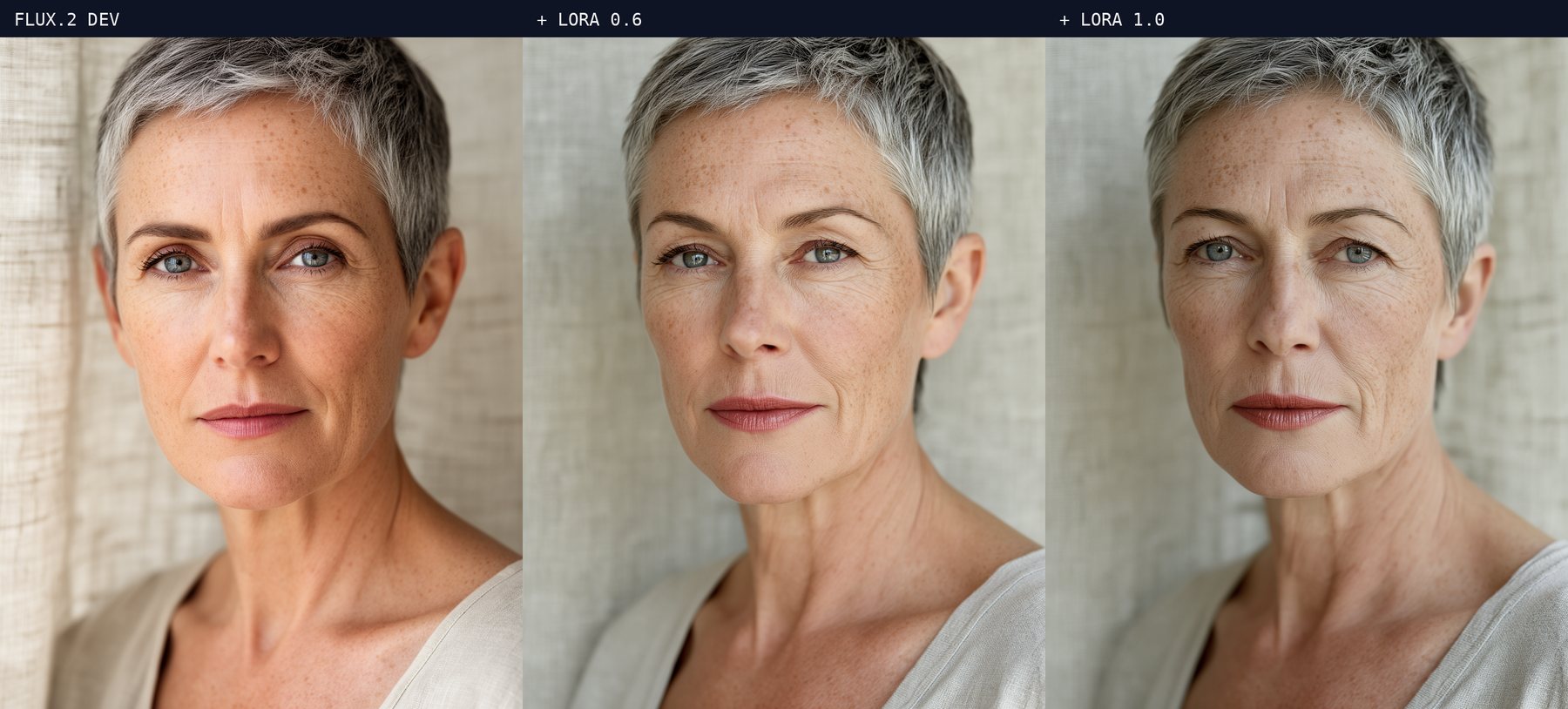
- Test workflow: FLUX.2 [dev], then the LoRA, guidance 4, 28 steps, euler, 896×1152. Three renders in one batch with the same prompt and seed: no LoRA, LoRA at 0.6, LoRA at 1.0. Everything runs on Comfy Cloud GPUs, with no paid nodes.
What it changes
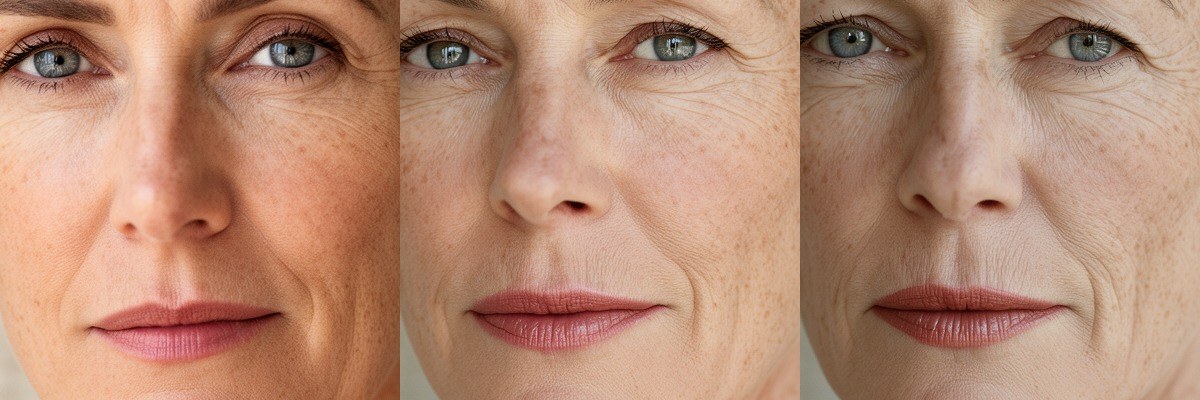
At 0.6, the skin looks photographic again: pores, fine lines around the eyes, freckles, a more neutral complexion. At 1.0, the look becomes almost documentary, stronger and less flattering.
Takeaways
- 0.6 is the right setting for a portrait: realism without damaging the image.
- The LoRA reaches beyond its job: above 0.8 it also cools the colours and slightly changes the face. Training touched almost the whole model, including modulations and the image and text inputs. The next version will be limited to attention and MLP layers so it only affects skin.
- The file can lose half its weight: it is stored in float32. In bf16 it drops to about 166 MB with the same result.